Use AI without exposing your data

stuntdoc makes a stunt double of your Excel and CSV files: same structure and same formulas, with the sensitive data replaced by consistent fake values. The AI processes the stunt double, while the real data stays on your computer.

Download

Free · macOS and Windows

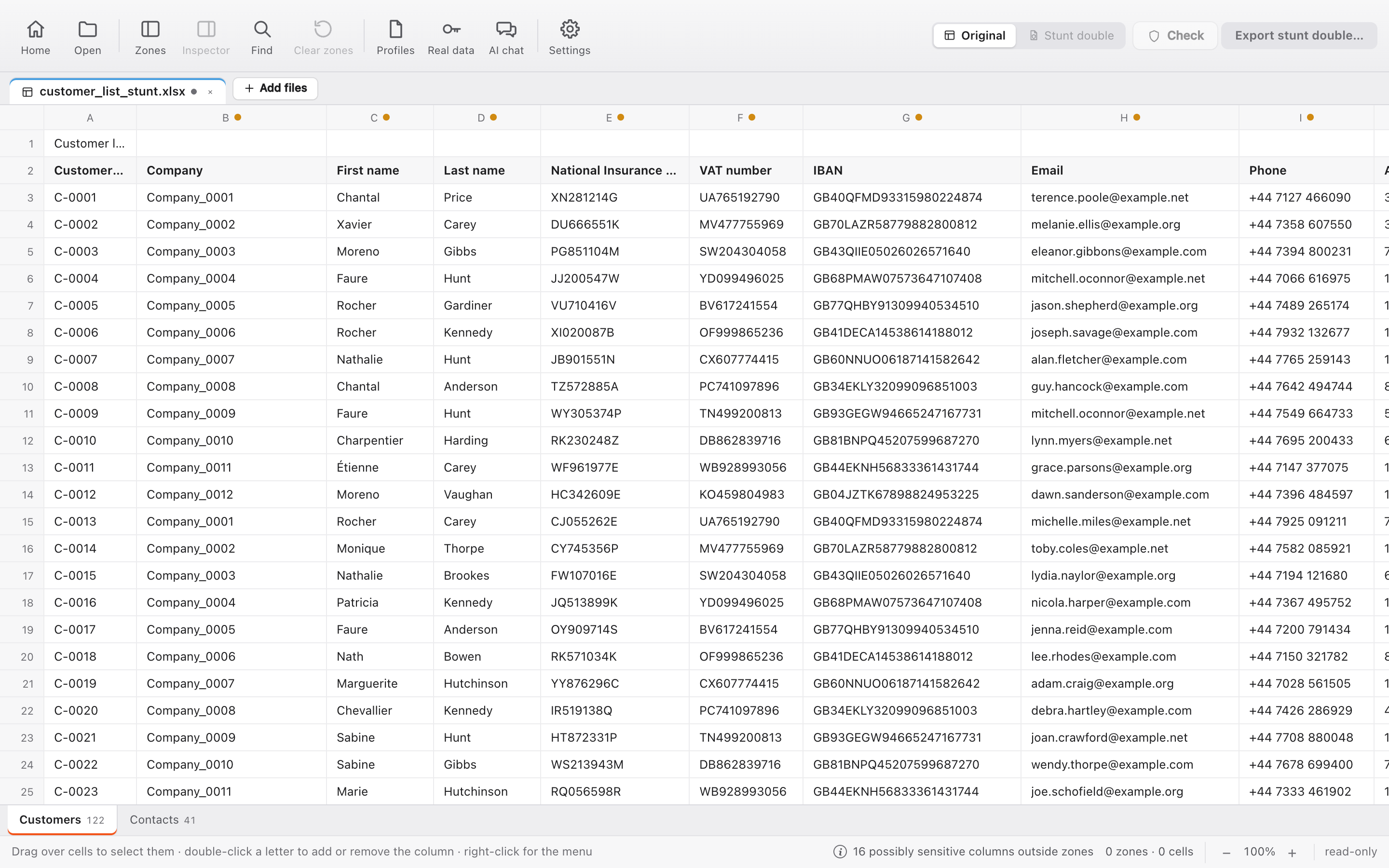
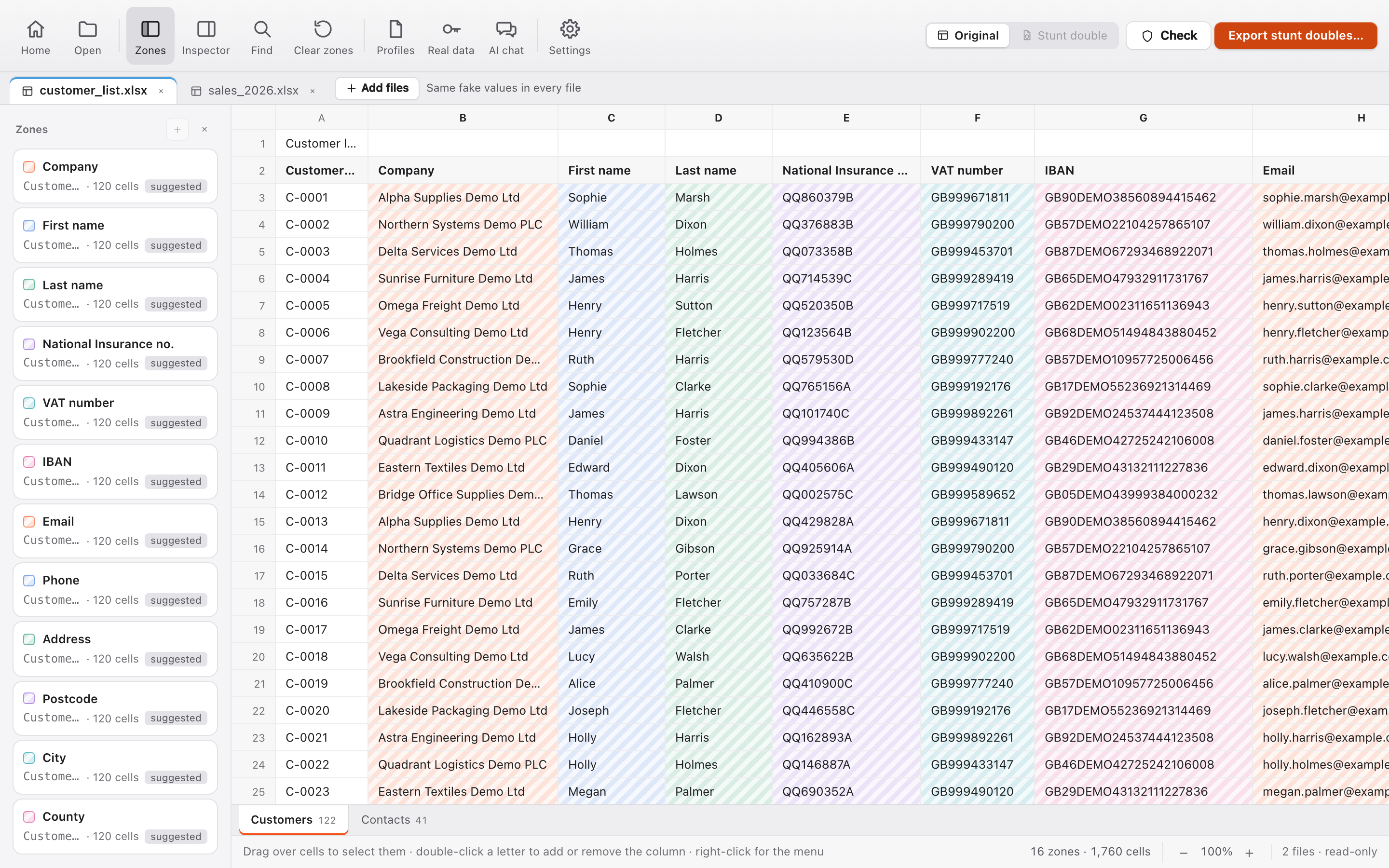
stuntdoc with a customer list open: the sensitive columns are hatched and listed as zones.

Deleting the data makes the file unusable for the AI. Uploading it in full means sharing the names, tax codes and amounts of your customers, suppliers and employees.

See stuntdoc at work

Three steps, one file to share

Choose what to protect

Select the zones directly on the sheet. stuntdoc detects the columns that appear to contain sensitive data, such as names, tax codes, IBANs and emails, and creates the zones automatically (licence only). In the inspector, each zone shows its “Before and after”.
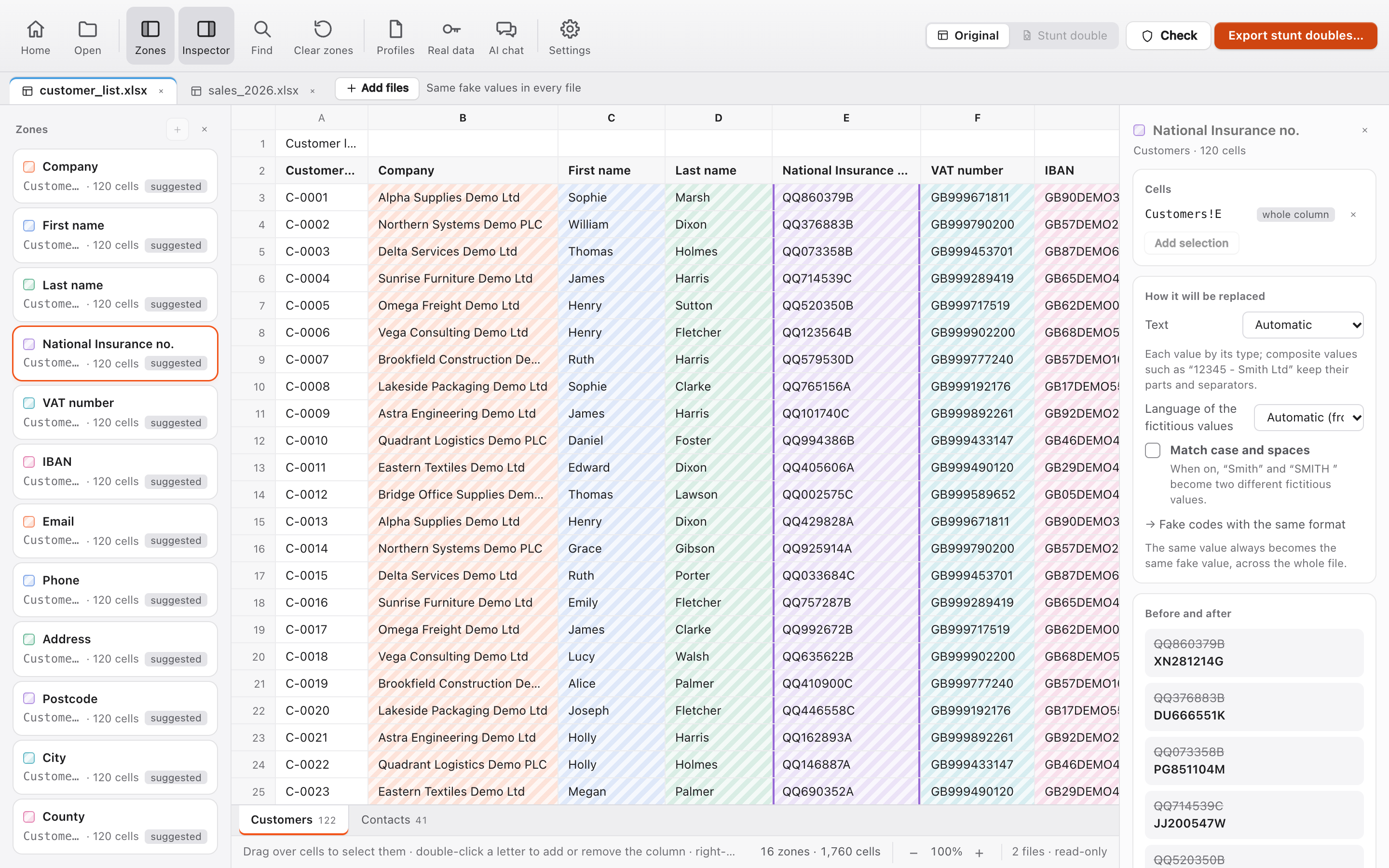
The inspector of the National Insurance number zone: each real number next to a fake number with the same format.

Share the stunt double with the AI

The exported file keeps sheets, formulas and formats. The same original value always becomes the same fake value across all sheets, so the AI can match data and perform counts and calculations.

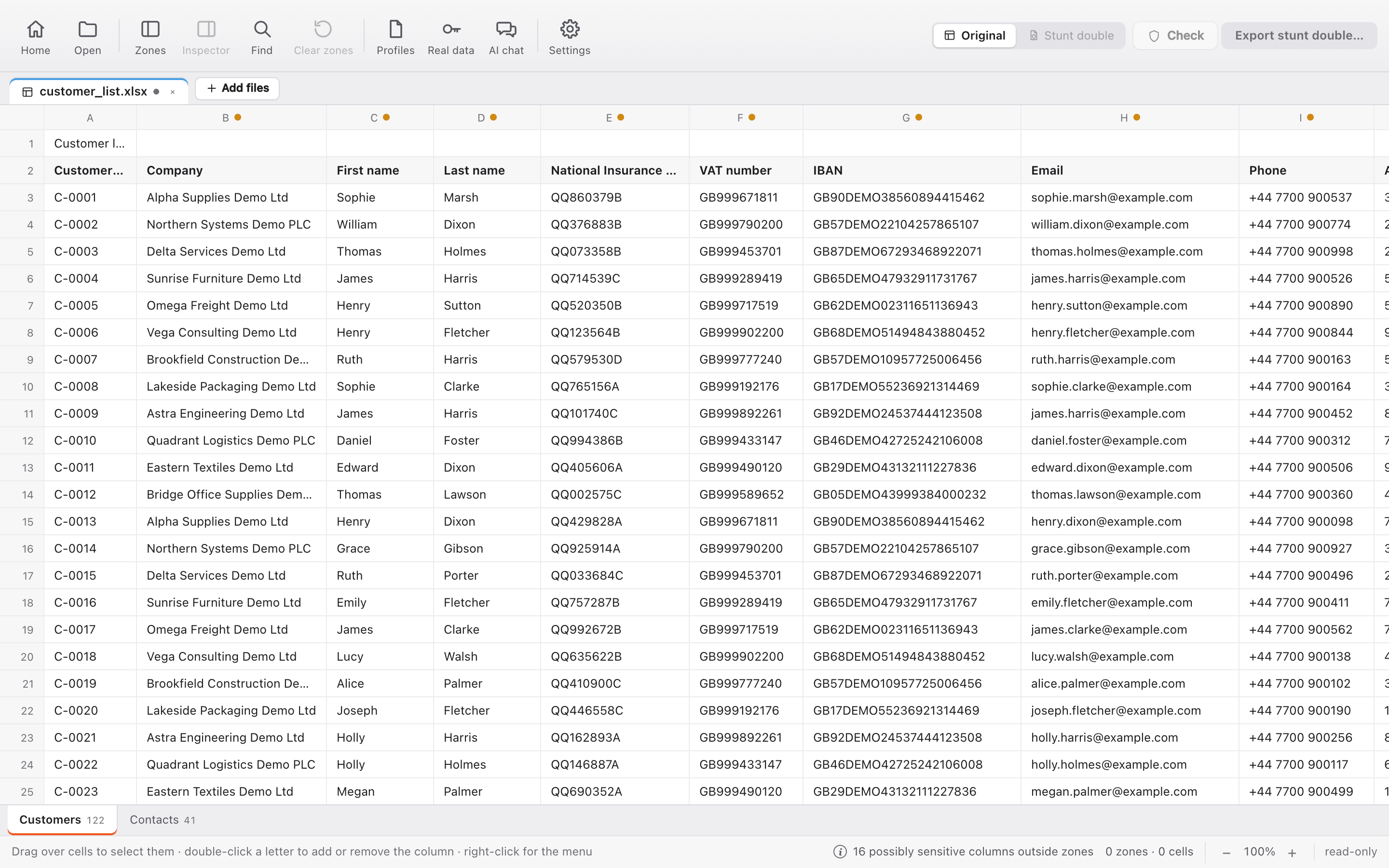
The original customer list and its stunt double with fake values.

Drag the slider to compare the original and the stunt double.

Restore the real data

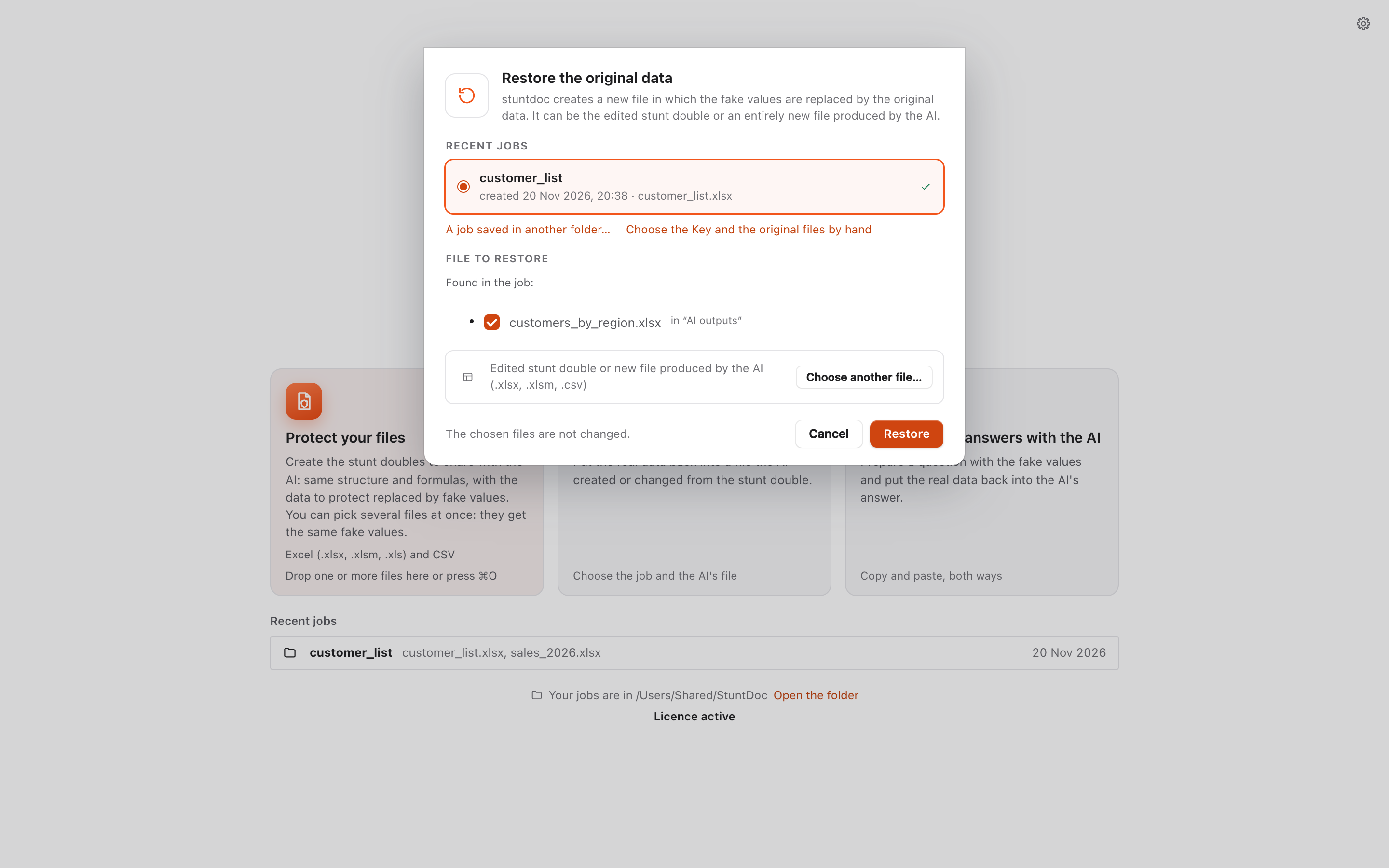
Save the file returned by the AI in the job folder. With the Key, stuntdoc creates a new file with the real data and points out what to check.

The restore window: the job and the file returned by the AI are already selected.

The Check, before every export

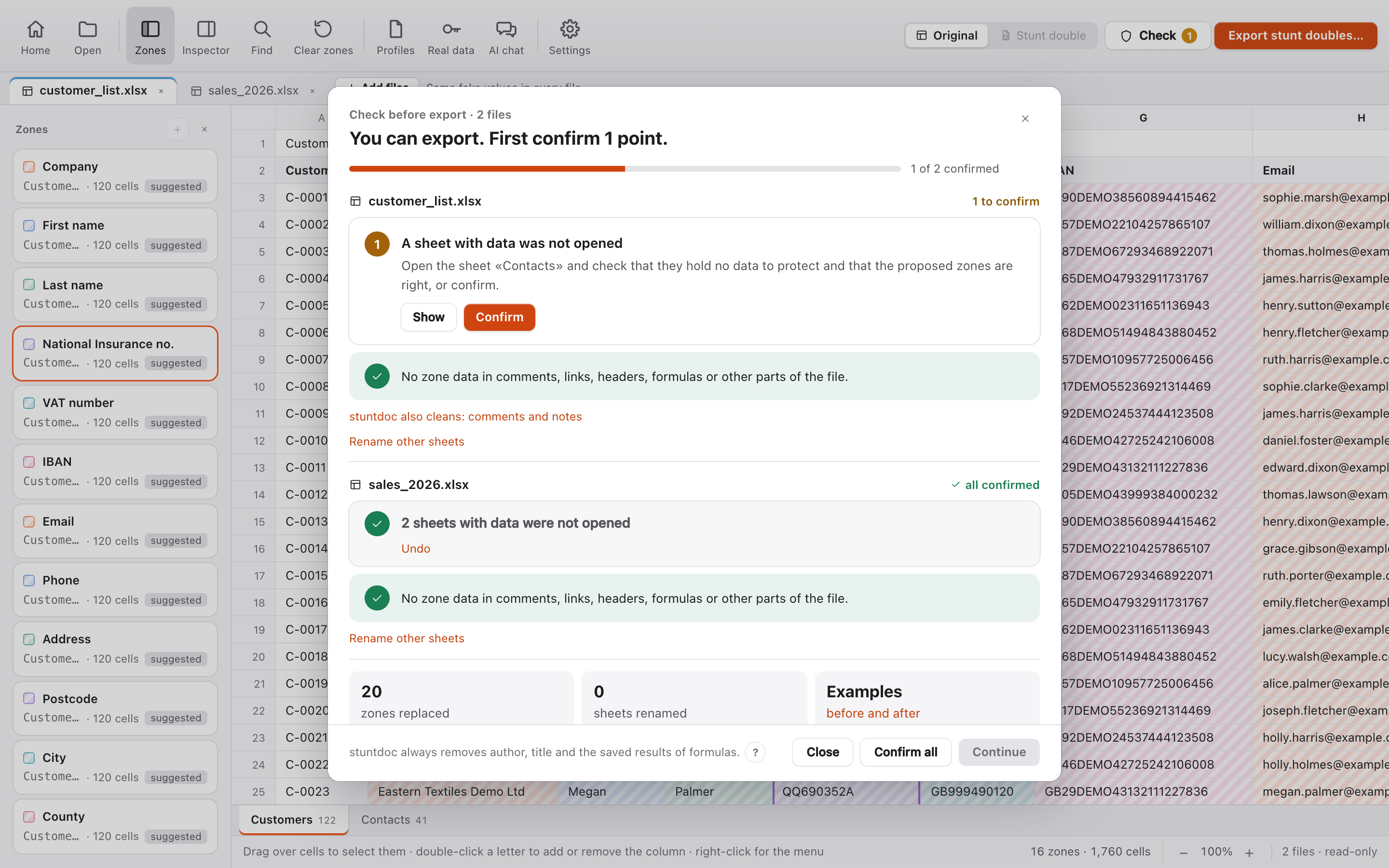
Data is not found only in cells. stuntdoc also searches the less visible parts of the file, removes what it can safely remove and asks you to confirm the remaining points, one at a time.

  • Pivot table caches
  • Data saved in charts
  • Comments and notes
  • Headers and footers
  • Hidden sheets, rows and columns
  • Sheet names
  • Drop-down lists
  • Document properties
  • Macros
  • Images inserted in the file
The Check with two files open: one point confirmed and one to confirm.
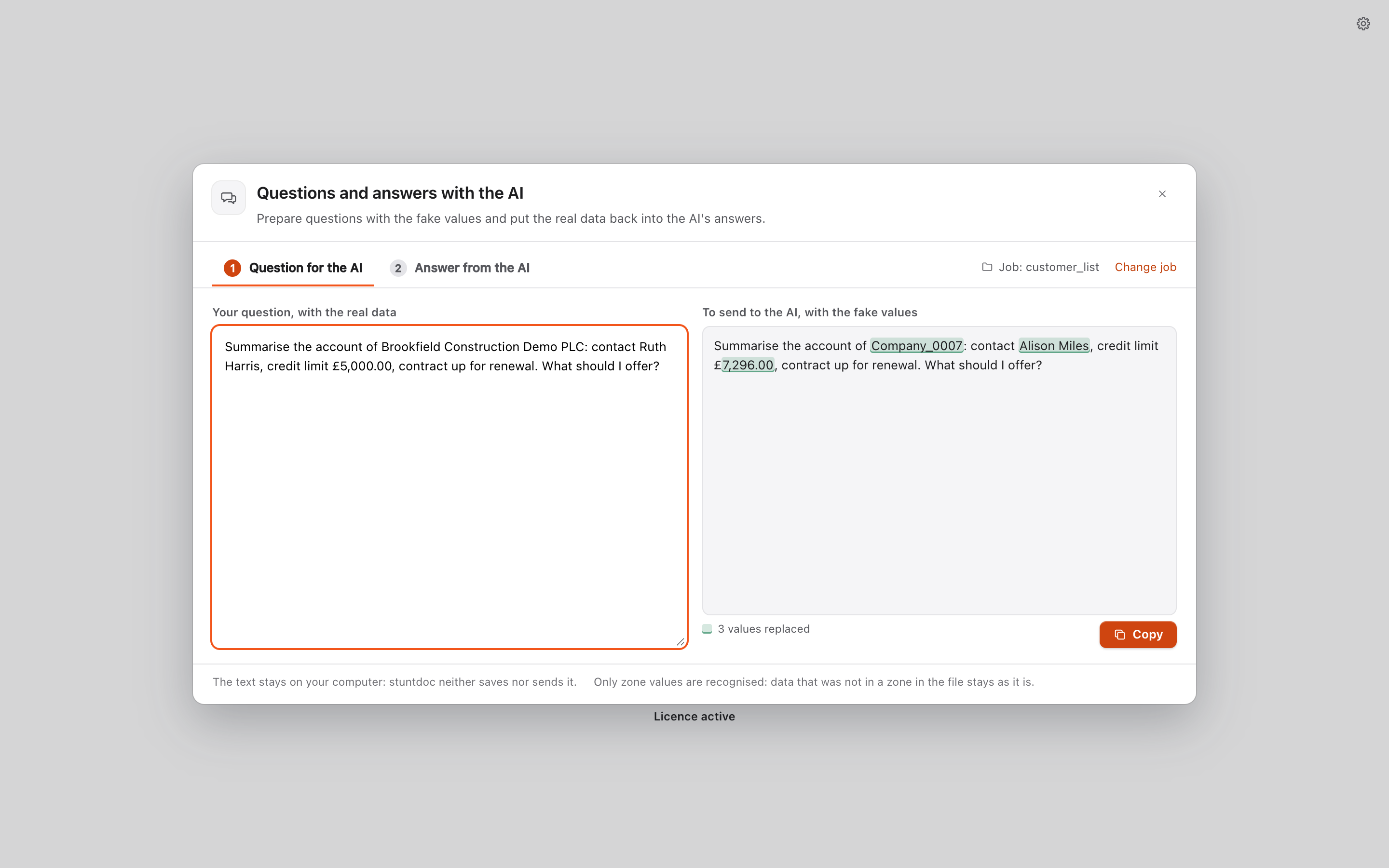
Questions and answers with the AI: on the left the question with the real data, on the right the same question with the fake values highlighted.

Even when the AI answers in a chat

Write the question with the real data: stuntdoc converts it with the fake values, ready to send to the AI. Then paste the answer to get it back with the real data.

Everything stays on your computer

Your files are not sent to any server: stuntdoc processes them entirely on your computer.

For spreadsheets

  • .xlsx
  • .xlsm
  • .xls
  • .csv

Files up to about 50 MB and hundreds of thousands of rows. Styles, formulas, charts, pivot tables and validations are preserved. Interface in six languages.

Support for Word documents and PDF is planned in the next modules.

What stuntdoc does and what other tools do

stuntdocOther tools
Where it worksOn your computer, even offlineOnly some on your computer; many in the browser or on a server
What you getThe stunt double: the same Excel file, ready for the AI. And new Excel files the AI creates from the stunt double come back with the real data, thanks to the KeyA text to paste into a chat
In place of the real dataFake values of the same kind: a name becomes another namePlaceholders: a name becomes [PERSON_1]
Numbers and datesFake values that keep proportions and intervalsPlaceholders: no more calculations
Formulas, formats, charts, pivot tablesStay as in the Excel fileLost when the file becomes text
Sheet namesIf they hold real data, they get fake values and formulas and charts followStay as they are
Same data in several placesSame fake value across the Excel file, also across several Excel files (licence only)Same placeholder only in the text you are protecting: in another text it can change
What to protectYou choose it on the sheet; stuntdoc suggests the columns (licence only)Automatic detection decides
Hidden data in the fileThe Check looks for it in comments, pivot tables, charts, hidden sheets and file propertiesOnly the text is checked
Restoring the real dataWith the Key, in Excel files and in the text of the answersOnly in the text of the answer
Which AIAny: you upload the file wherever you wantOften only the chat linked to the tool

Free version and Founder licence

Free

€0

No time limit

  • One file at a time
  • Up to 3 zones per file
  • Files up to 5 MB
  • All formats, the Check and the report
  • Key and restore

Founder licence

€24.90(€20.41 + VAT)

Includes 22% VAT. The final amount is calculated at checkout according to the VAT rate of the buyer’s country.

  • One payment, for 2 computers
  • Unlimited zones and files up to about 50 MB
  • Zones created automatically for columns that appear to contain personal data
  • Several files together, with the same fake values
  • Saved profiles for recurring reports

Founder offer stuntdoc Docs and stuntdoc PDF included, as soon as they are available, at no extra cost.

Buy

Restoring with the Key is always free and unlimited.

FAQ

Does the stunt double protect the real data?

Yes: values in the zones are replaced, not hidden, so the AI cannot work out the original data. Columns not included in the zones and the proportions between numbers stay unchanged; for the most confidential numbers, random replacement is available.

What happens to formulas?

They are kept and recalculated on the new values. The results stored in the file are removed, so no real total remains in the stunt double.

Does it work without a connection?

Yes. stuntdoc connects only to check the licence and, if the check is on, for updates.

What happens if I lose the Key?

The stunt double remains usable. To restore the real data automatically into the files returned by the AI, however, you need the Key: keep it in the job folder and do not share it.

Which operating systems does it run on?

On macOS 12 or later with an Apple processor, and on 64-bit Windows 10 and 11.

What should I do if Windows shows a warning?

Just select “More info”, then “Run anyway”. Windows may show this protection message when starting programs downloaded from the internet.

Does stuntdoc help with GDPR compliance?

Yes: it protects the selected zones and, with the licence, detects the columns that appear to contain sensitive data. Choosing the zones and complying with the GDPR remain your responsibility.